Did you know 80% of Americans unknowingly share sensitive details like their location or email address during routine online tasks? Every search, app download, or social media scroll leaves traces of data—and most people underestimate how easily this information can be exploited.
Your digital footprint isn’t just visible to tech companies. Governments, advertisers, and even acquaintances might access or share details like IP addresses or purchase histories. A single overshared post or unsecured Wi-Fi connection could expose you to phishing scams or identity theft.
We’ve crafted this guide to simplify the steps you can take today. From masking your location data to recognizing hidden tracking methods, protecting your information starts with awareness. Small changes—like adjusting app permissions or using encrypted tools—create layers of defense against breaches.
Think of your data as currency. Every click has value, and corporations often trade it without your explicit consent. By understanding how collection systems work, you regain control over what’s shared—and who profits from it.
Let’s explore practical strategies to secure your digital life. Whether you’re managing business accounts or personal devices, these essentials bridge the gap between convenience and safety.
The Fundamentals of internet privacy
Every click, search, or app download tells a story about you—one that companies and third parties piece together daily. At its core, online confidentiality revolves around controlling who accesses your personal information and how it’s used. Let’s break down why this matters now more than ever.
What Does It Mean to Protect Your Data?
Your digital footprint includes everything from social media comments to purchase histories. Even “anonymous” surveys or website cookies collect details like device types or browsing habits. This data forms a mosaic that advertisers, employers, or malicious actors can analyze.

The Ripple Effect of Oversharing
Consider a fitness app tracking your location: combined with public posts, it could reveal your daily routine. Sensitive information like birthdates or pet names often becomes the key to unlocking accounts. Once online, these details rarely disappear—archived by search engines or resold through data brokers.
We’ve seen cases where a single tweet mentioning a workplace led to targeted phishing emails. Small leaks compound over time, making proactive control essential. Adjusting permissions on apps or avoiding oversharing on websites creates barriers against unauthorized profiling.
How Personal Information Gets Online
Your morning coffee order might reveal less about you than your latest app download. Everyday actions—like signing up for newsletters or browsing products—feed data collection systems that build detailed profiles. Let’s uncover how routine habits shape your digital identity.

Data Collection Methods and Everyday Activities
Creating an account for a loyalty program? Retailers track purchases, device types, and even time spent browsing. Email sign-ups often share names and locations with third parties. A fitness app synced to your computer could log workout times and routes—details advertisers use for targeted campaigns.
Consider social media check-ins. Tagging a restaurant location reveals patterns businesses analyze for promotions. Free web tools, like grammar checkers, might scan documents for keywords. These examples show how casual choices become data points.
Understanding Your Digital Footprint
Public records—voter registrations, property deeds—add layers to your profile. Data brokers combine this with account activity to sell consumer insights. We’ve seen cases where a LinkedIn job title update triggered recruitment spam emails.
Adjusting settings matters. Default permissions on apps often share contacts or location. Reviewing these controls helps limit exposure. For instance, disabling “personalized ads” in your email provider’s dashboard reduces tracking across platforms.
People often overlook how offline actions go digital. A store receipt with your phone number enters databases used for SMS marketing. Awareness of these pathways lets you make intentional choices about what’s shared—and where.
Identifying Online Security Risks
How quickly can your digital life unravel? One compromised password or deceptive link could expose financial records, medical details, or business communications. Cybercriminals deploy sophisticated tactics to exploit gaps in security systems—and human judgment.

Recognizing Phishing, Malware, and Identity Threats
Phishing scams often mimic trusted sources. We’ve seen emails disguised as bank alerts or coworker requests—complete with cloned logos. These messages pressure you to click links or share login credentials. A recent study found 36% of data breaches start with stolen passwords from such schemes.
Malware operates silently. Downloading unverified apps or clicking pop-ups might install spyware that tracks keystrokes. Ransomware can lock critical files until payments reach criminals. Free software bundles frequently hide these threats.
“Cyberattacks now occur every 39 seconds. Vigilance isn’t optional—it’s survival.”
Identity thieves piece together data from breaches. They might combine your Social Security number (leaked in a corporate hack) with public records to apply for loans. We recommend:
- Monitoring credit reports quarterly
- Using multi-factor authentication for accounts
- Reporting suspicious activity immediately
Early detection reduces risk. Train yourself to spot mismatched URLs in emails or unsolicited attachment requests. Update devices regularly to patch security flaws criminals exploit. Small habits create big barriers against digital threats.
Securing Your Browser and Online Accounts
Your browser acts as both gateway and guard for your digital world. Outdated tools or weak access points leave doors open for intruders. We’ll show how simple updates and smarter habits create formidable shields against unauthorized access.

Keeping Software and Browsers Updated
Cybercriminals exploit outdated systems like clockwork. A 2023 study found 60% of breaches involved unpatched vulnerabilities. Enable automatic updates for your browser and operating system—this ensures immediate fixes for security gaps. Manual checks? Visit “About [Browser Name]” in settings to confirm versions.
Real-world example: A major video conferencing app fixed a screen-sharing flaw in 2022. Users who delayed updates risked exposing private meetings. Regular patches also improve performance—faster loading and better compatibility with privacy extensions.
Using Strong Login Credentials and Privacy Settings
“Password123” won’t cut it. We recommend:
- 12+ character passwords mixing symbols, numbers, and cases
- A password manager to generate/store unique codes
- Multi-factor authentication (MFA) for critical accounts
Review privacy settings monthly. Social platforms often reset permissions after updates. Disable location tracking in your browser unless necessary—this protects privacy by limiting data collection.
Make sure financial and email accounts have the strictest security layers. A breached shopping site login shouldn’t compromise your bank details. Adjust settings to limit third-party access to contacts or search histories.
Managing Cookies, Tracking, and Digital Fingerprinting
Think your browser’s incognito mode makes you invisible? Think again. Websites track activity through cookies—small files storing login details or preferences. While convenient, these tools log every click, building profiles advertisers use to target you across devices.

Digital fingerprinting goes deeper. It records subtle patterns like mouse movements or screen resolutions—details as unique as your face. Combine this with search history data, and companies can identify you even when cookies are disabled. Persistent trackers called “evercookies” ‘re using multiple storage methods to resurrect after deletion.
We’ve seen cases where a single visit to a recipe site triggered ads for kitchenware on social media. Retailers analyze these breadcrumbs to predict purchases. Health sites might share browsing habits with insurers—risks many overlook when accepting cookie pop-ups.
Here’s how to fight back:
- Enable privacy online modes that block third-party trackers
- Clear cookies weekly and reject non-essential ones
- Use browser extensions that randomize digital fingerprints
Adjust settings in your mode menus to limit data retention periods. Check if your email provider ‘re using search-based ads—opt out if possible. Remember: every scroll and hover feeds algorithms. Proactive management keeps your habits from becoming commodities.
Practical Tips for Protecting Your Privacy Online
Ever shared a vacation photo only to realize later it revealed your home address? Everyday posts and casual browsing habits often expose more than intended. We’ve compiled actionable strategies to help you maintain control over what becomes public—and who benefits from it.

Mindful Sharing Starts With These Steps
Screen every post like a hiring manager might. Remove geotags from photos that show landmarks near your residence. Avoid mentioning upcoming trips in real-time—this signals when your property sits empty. For professionals, even casual comments about workplace challenges could impact job opportunities if misinterpreted.
Review permissions on social sites monthly. Many platforms reset settings after updates, exposing old content to new audiences. Disable location tracking for apps unrelated to navigation—weather tools don’t need constant access to your coordinates.
Limit unnecessary internet access points. Public Wi-Fi at coffee shops? Use a VPN to encrypt activity. Avoid logging into sensitive accounts like banking apps during these sessions. For personal devices, disable Bluetooth when not in use—it’s another gateway for data leaks.
“Assume everything you post becomes permanent. If it shouldn’t influence a future employer’s decision, reconsider sharing it.”
Adopt a 24-hour rule for emotional posts. Sleep on rants about coworkers or political views before hitting “publish.” For personal accounts, use aliases or initials in non-critical platforms to reduce traceability. These tips create buffers between your daily life and digital risks.
Leveraging Security Tools and Network Solutions
What if your network could filter out threats before they reach your devices? Modern security tools act as digital gatekeepers, blocking malicious content at the source. These solutions work silently in the background—whether you’re streaming media on a smart TV or managing smart home systems.
Website blockers and ad filters operate like traffic controllers for your home Wi-Fi. They analyze incoming data streams, stopping harmful sites from loading. For families, this means kids’ tablets automatically avoid risky content. Businesses benefit by preventing phishing attempts disguised as ads.
Firewalls add another layer. Configure them to permit only trusted connections to devices like security cameras or voice assistants. A 2023 study showed networks using these tools experienced 73% fewer breaches than those relying solely on antivirus software.
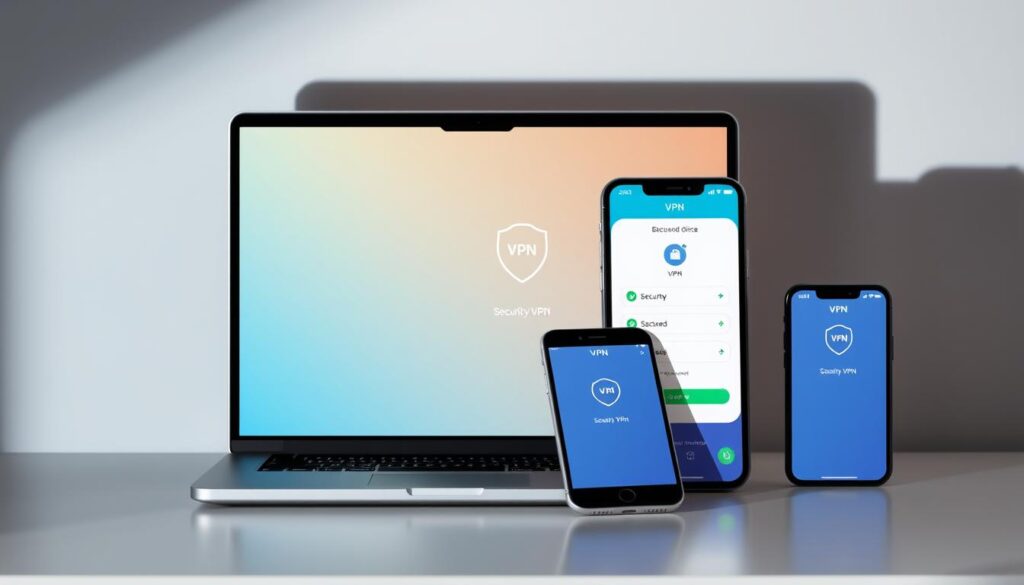
Public hotspots demand extra caution. Enable VPNs on all devices before accessing coffee shop Wi-Fi. This encrypts data so hackers can’t intercept login credentials or payment details. Pair this with browser extensions that block trackers on shared networks.
“Network-level protection stops threats before they become your problem—like a moat around your digital castle.”
Compatibility matters. Choose tools that sync with diverse media devices—from gaming consoles to smart speakers. Update firmware regularly to patch vulnerabilities. For households, set automatic filter updates during off-peak hours to avoid disrupting movie nights or video calls.
These things work best when layered. Combine ad blockers with DNS encryption and two-factor authentication. Your home becomes a fortress where convenience and security coexist.
Best Practices for Social Media and Digital Footprint Management
How many photos, comments, or check-ins could expose your home address or workplace? Social platforms often become accidental pipelines for sensitive details—even when posts seem harmless. Regular audits and intentional sharing habits help minimize risks tied to your digital history.
Screening Social Media Posts for Sensitive Information
Before hitting “post,” ask: Could this reveal your company’s upcoming product launch? Does that vacation photo show a mailbox with your street number? We’ve seen cases where:
- A LinkedIn post about a work trip led to targeted phishing emails
- Geotagged gym selfies helped stalkers track routines
- Birthday party pics exposed a phone number on a visible invitation
Review old content quarterly. Delete location tags from personal photos and blur sensitive documents in backgrounds. For professionals, avoid mentioning proprietary projects—even vaguely.
Minimizing Exposure Through Regular Privacy Audits
Set calendar reminders to:
- Review app permissions on all social media accounts
- Search your name across platforms to find forgotten profiles
- Update phone settings limiting ad tracking and location access
Data brokers often scrape public profiles to build consumer profiles. A 2023 study found 68% of users had outdated permissions granting access to contacts or calendars. Audits reset these defaults, closing gaps criminals exploit.
“Treat your social feeds like a museum—curate what stays visible and archive what doesn’t belong.”
Adjust privacy levels for each platform. Enable login alerts for unrecognized devices. For company accounts, use role-based access to prevent accidental leaks from team members. Proactive management turns your history from a liability into a controlled asset.
Conclusion
Your digital identity isn’t a snapshot—it’s a living record that evolves with every click. Once shared, details like browsing patterns or account permissions become part of a permanent archive. Protecting your information demands constant attention, not one-time fixes.
We’ve shown how access permissions and casual browsing habits shape your online profile. From social media check-ins to unsecured Wi-Fi connections, every choice leaves traces. Regular software updates and encrypted tools build layers of defense against evolving threats.
Apply these steps consistently:
- Audit app permissions monthly to limit unnecessary access
- Clear browsing histories and reject non-essential cookies
- Use VPNs and ad blockers during public network sessions
True security grows from daily habits, not grand gestures. Stay curious about new tracking methods and adapt your strategies. Your data’s value—and vulnerability—will only increase. Start today, refine tomorrow, and keep control firmly in your hands.