In today’s digital age, securing your internet traffic is more critical than ever. With cyber threats on the rise, protecting your entire network at the router level ensures all connected devices stay safe. But what happens when your connection drops unexpectedly? Without a proper safety net, your data could be exposed.
Router-level protection offers a robust solution. Unlike device-specific setups, it safeguards every gadget in your home or office simultaneously. This guide walks you through the essentials of implementing a reliable safety measure for your network. We’ll address common concerns and highlight the importance of advanced privacy measures in 2023.
So, are you ready to take your network security to the next level? Let’s dive into the details and ensure your internet traffic remains protected, no matter what.
What Is a VPN Kill Switch?
In an era where online privacy is constantly under threat, a VPN kill switch acts as a vital safeguard. This feature ensures your data remains protected, even if your VPN connection drops unexpectedly. Without it, your sensitive information could be exposed to prying eyes.
Definition and Purpose
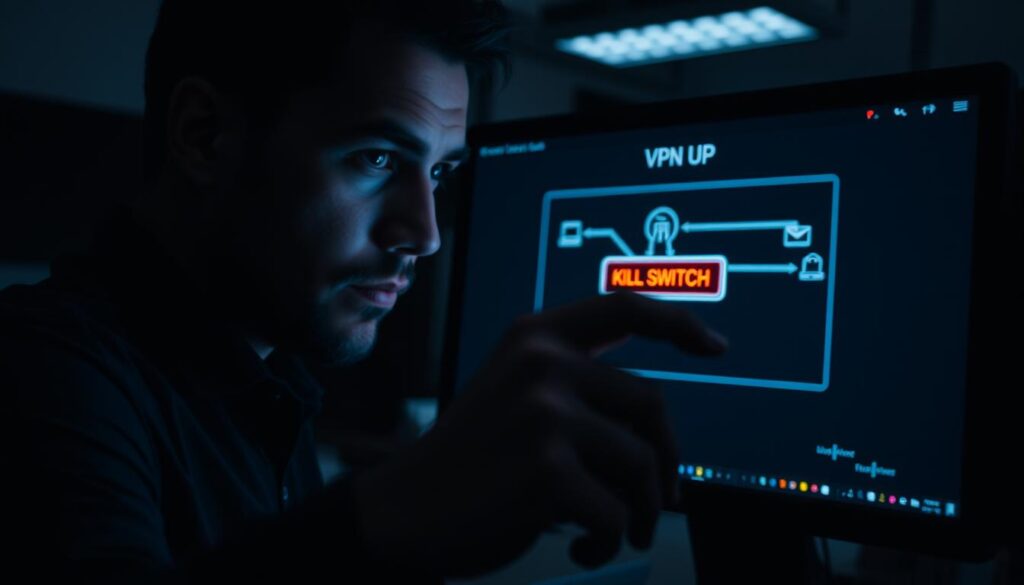
A VPN kill switch is a critical safety net designed to cut off your internet access when the VPN connection fails. It prevents your IP address and location from being exposed, ensuring your online activities remain private. Think of it as an emergency stop button for your internet traffic.
When your VPN is active, it creates an encrypted tunnel for your data. If this tunnel collapses, the kill switch immediately halts all internet traffic. This prevents any accidental leaks of sensitive information, such as passwords or financial details.
How It Enhances Online Security
The kill switch is especially crucial for those engaging in sensitive activities, like journalists or activists. For example, imagine working in a coffee shop. If your VPN disconnects, the kill switch ensures your real IP address isn’t revealed to potential hackers on the same network.
Some VPN providers, like ExpressVPN, offer a proactive approach called Network Lock. This feature continuously monitors your connection, ensuring the kill switch activates instantly when needed. It’s similar to the emergency stops used in industrial machinery—temporary inconvenience for long-term security.
- Prevents data leaks during connection drops.
- Automatically reactivates when the VPN reconnects.
- Essential for bypassing censorship and maintaining anonymity.
While the kill switch may briefly interrupt your internet access, its benefits far outweigh the inconvenience. It’s a small price to pay for ensuring your online security remains intact.
Why You Need a VPN Kill Switch
Online security isn’t just a luxury—it’s a necessity in today’s connected world. A kill switch ensures your data remains protected, even when your VPN connection falters. Without it, your sensitive information could be exposed to prying eyes.
Protecting Your Identity
Your real IP address is like a digital fingerprint. If your VPN disconnects, it can be exposed, revealing your location and identity. A kill switch prevents this by cutting off internet access instantly. This is especially crucial on public Wi-Fi networks, where hackers often lurk.
For example, ExpressVPN’s Network Lock feature continuously monitors your connection. If it detects a drop, it activates the kill switch immediately. This ensures your IP address stays hidden, even during unexpected disconnections.
Ensuring Data Privacy
When your VPN is active, your data travels through an encrypted tunnel. If the connection drops, this tunnel collapses, leaving your information vulnerable. A kill switch ensures that no data leaks occur during these moments.
This is particularly important for financial transactions or sensitive communications. Without encryption, your data could be intercepted by malicious actors. The kill switch acts as a safety net, keeping your information secure at all times.
Preventing Unauthorized Monitoring
Government surveillance and corporate espionage are real threats in today’s digital landscape. A kill switch helps you stay anonymous by preventing unauthorized monitoring. It ensures your online activities remain private, even if your VPN connection fails.
For instance, DNS requests can reveal your browsing habits. A kill switch blocks these requests, adding an extra layer of security. This feature is essential for bypassing censorship and maintaining your anonymity online.
- Protects your real IP address from exposure.
- Ensures data remains encrypted during connection drops.
- Blocks unauthorized monitoring and surveillance.
How VPN Kill Switches Work
Understanding the mechanics behind VPN kill switches can significantly enhance your online security. These tools act as a fail-safe, ensuring your data remains protected even during unexpected disruptions. Let’s explore the key aspects of their functionality.

Application-Level vs. System-Level Kill Switches
Kill switches operate at different levels, each offering unique benefits. Application-level protection focuses on specific apps, such as browsers or torrent clients. If the VPN connection drops, only those apps lose internet access. This selective approach is useful for targeted security.
On the other hand, system-level protection covers your entire device. It halts all internet traffic when the VPN disconnects, ensuring comprehensive security. For example, ExpressVPN’s Network Lock firewall operates at this level, providing robust protection for all online activities.
When Does a Kill Switch Activate?
Kill switches are triggered by specific events. These include server switches, network changes, or even sleep/wake cycles. For instance, when transitioning from Wi-Fi to mobile data, the kill switch ensures your traffic remains secure.
Another common scenario is during brief disconnection windows when switching servers. The kill switch activates instantly, preventing any data leaks. This is especially important for maintaining privacy during sensitive tasks.
- Contrasts selective vs. comprehensive protection.
- Explains protocol-level vs. OS-level implementation.
- Details activation scenarios like server switches and network changes.
By understanding these mechanisms, you can better appreciate the role of kill switches in safeguarding your online activities. They ensure your internet traffic remains secure, no matter the circumstances.
Choosing the Right VPN Provider
Selecting the right vpn provider is a critical step in ensuring robust online security. With so many options available, it’s essential to evaluate key features that align with your needs. A reliable provider not only safeguards your data but also enhances your overall browsing experience.
Features to Look For
When comparing providers, prioritize those offering a mandatory kill switch. This feature ensures your data remains protected during unexpected disconnections. Additionally, look for multi-platform support, allowing seamless use across devices like smartphones, tablets, and desktops.
Advanced providers, such as ExpressVPN and NordVPN, excel in areas like firewall rule sophistication and IPv6/DNS leak protection. These features add extra layers of security, preventing accidental exposure of your real IP address. Protocol support, including OpenVPN and WireGuard, is another critical factor to consider.
Auto-reconnection features are equally important. They ensure your service remains uninterrupted, even during brief disconnection windows. Customization options for the kill switch allow users to tailor their security settings to specific needs.
Why Default Activation Matters
According to WIRED, 72% of providers require manual activation of their kill switch. This can leave your data vulnerable if you forget to enable it. ExpressVPN’s Network Lock, however, is enabled default, providing immediate protection without user intervention.
Default activation is especially crucial for those new to VPNs. It eliminates the risk of accidental exposure, ensuring your data remains secure from the moment you connect. Always verify this feature when selecting a provider.
Finally, be cautious of free VPNs. While they may seem appealing, they often lack essential features like a reliable kill switch or robust encryption. Investing in a reputable vpn provider is a small price to pay for long-term security.
Preparing to Configure a VPN Kill Switch on Your Router
Setting up advanced security measures requires careful preparation. Before diving into the setup, it’s essential to ensure your hardware and software meet the necessary requirements. This step ensures a smooth and secure implementation.
Checking Router Compatibility
Not all routers support advanced features like a kill switch. Start by verifying if your device is compatible with custom firmware such as AsusWRT-Merlin. This firmware is often required for advanced configurations.
Here’s a quick checklist to confirm compatibility:
- Check your router’s model and firmware version.
- Ensure it supports OpenVPN or other required protocols.
- Verify if the device can handle encryption demands.
Gathering Necessary Information
Once compatibility is confirmed, gather all the required details. This includes your vpn server address, port number, and authentication credentials. Proper documentation ensures a seamless setup process.
Key details to prepare:
- Server address and port information.
- Certificates from the certificate authority.
- Encryption type and protocol specifications.
- Secure username and password practices.
Additionally, consider the differences between LAN and WAN configurations. Proper planning minimizes errors and ensures your client devices remain secure.
Finally, test for potential ISP compatibility issues. Some providers may block certain configurations, so it’s crucial to verify beforehand.
Step-by-Step Guide to Configure VPN Kill Switch on Router Level
Securing your network at the hardware level ensures comprehensive protection for all connected devices. By implementing advanced features at the router, you can safeguard your entire network from potential threats. Let’s walk through the process step by step.
Accessing Router Settings
Start by logging into your router’s admin panel. Open a web browser and enter the router’s IP address, typically found on the device or in the manual. Use your admin credentials to access the settings.
Once inside, navigate to the VPN section. This is where you’ll configure the necessary parameters. Ensure your router supports custom firmware like AsusWRT-Merlin if advanced configurations are needed.
Setting Up VPN Connection
Next, set up the client connection. Enter the vpn server address, port number, and authentication details provided by your provider. For example, ExpressVPN offers a dedicated router app for simplified configuration.
Choose the appropriate protocol, such as OpenVPN, and upload the required certificates. This ensures a secure connection between your router and the VPN server.
Enabling the Kill Switch Feature
To activate the kill switch, locate the firewall or security settings. Create a rule that blocks all internet traffic when the VPN disconnects. This prevents data leaks during unexpected disruptions.
For added reliability, configure automatic reconnection and set up multiple server fallbacks. This ensures uninterrupted protection even if one server fails.
- Detailed admin panel access instructions.
- Walkthrough VPN client configuration.
- Explain kill switch rule creation.
- Reference third source’s IP route commands.
- Demonstrate firewall rule implementation.
By following these steps, you’ll establish a robust safety net for your network. This ensures your data remains secure, no matter the circumstances.
Testing Your VPN Kill Switch
Testing your security measures is the final step to guarantee complete protection. Once your safety feature is in place, it’s crucial to verify its functionality. This ensures your internet traffic remains secure, even during unexpected disruptions.
Simulating a VPN Disconnection
To test the kill switch active feature, simulate a disconnection. Start by manually disconnecting your VPN from the router settings. This mimics a real-world scenario where the connection might drop unexpectedly.
Use tools like Wireshark or ExpressVPN’s leak testing tools to monitor internet traffic. These tools help confirm whether the kill switch blocks all data transmission during the disconnection. If traffic continues, revisit your firewall rules.
Verifying Kill Switch Activation
After simulating a disconnection, check if the kill switch activates as intended. Use IP/DNS leak test websites to ensure your real IP address isn’t exposed. Analyze router logs to confirm the feature’s persistence across multiple device types.
For comprehensive testing, conduct stress tests with repeated disconnects. Measure the reactivation speed when switching between server locations. Document any failures and adjust your settings accordingly.
- Guide for manual VPN disconnection.
- Explain traffic monitoring tools.
- Use IP/DNS leak test websites.
- Analyze router log interpretations.
- Test multiple device types simultaneously.
- Verify firewall rule persistence.
- Conduct stress tests with multiple disconnects.
- Check VPN server switching reliability.
- Measure reactivation speed metrics.
- Document failure recovery procedures.
By following these steps, you can ensure your kill switch is fully operational. This guarantees your network remains secure, even during unexpected connection drops.
Conclusion
Ensuring your network remains secure is a continuous effort in today’s digital landscape. Router-level protection offers a robust shield for all connected devices, safeguarding your internet traffic from potential threats. However, setting up advanced features is just the first step.
Regular testing of your safety measures is essential. This ensures they function as intended during unexpected disruptions. Complement your setup with additional tools like firewalls and encryption for layered security.
Stay informed about emerging technologies and evolving digital privacy trends. Complacency after initial setup can leave your network vulnerable. Whether for personal or enterprise use, proactive maintenance is key.
We’re here to guide you with expert solutions and reliable insights. Take the next step to fortify your network and protect your data. Your security is worth the effort.