Ever wondered who’s watching your online activities? With internet traffic constantly monitored by ISPs, your browsing history might not be as private as you think. In fact, 72% of U.S. ISPs engage in data monetization practices, selling user information to advertisers or complying with government requests.
This is where VPNs come into play. By encrypting your data and masking your IP address, they create a secure tunnel for your online activities. This ensures that your visits to specific websites remain hidden from prying eyes.
Whether you’re a business professional or a casual user, protecting your digital footprint is essential. Stay tuned as we dive deeper into how these tools safeguard your privacy in an increasingly monitored world.
What Is a VPN and How Does It Work?
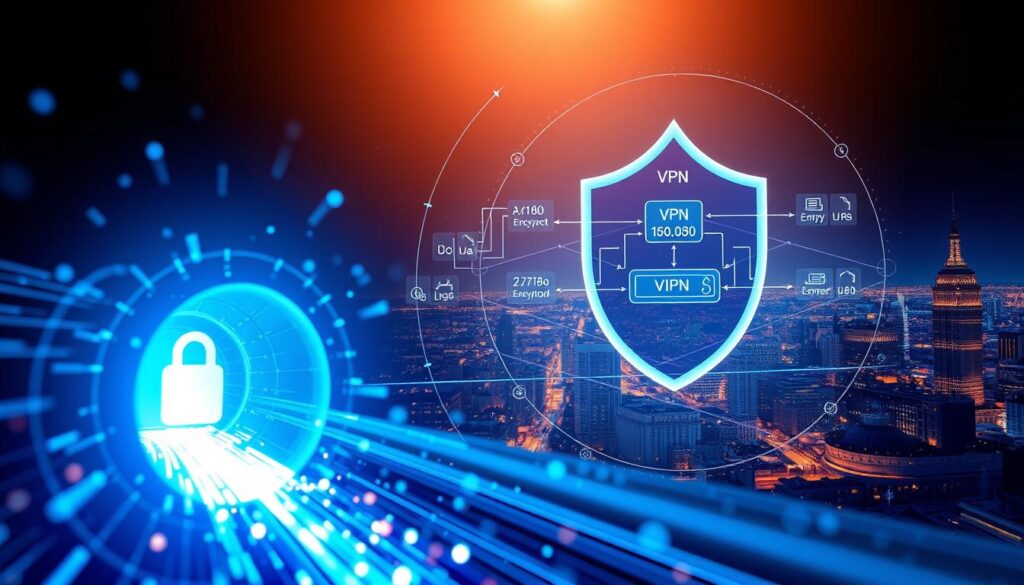
Curious about the tools that keep your internet activity secure? A VPN, or Virtual Private Network, is a powerful solution for maintaining online privacy. It creates an encrypted tunnel between your device and a private server, ensuring your data remains hidden from unwanted observers.
Understanding VPNs
When you connect to the internet without a VPN, your internet traffic flows directly through your service provider. This makes your browsing history visible to them. However, with a VPN, your data is routed through a VPN server first, masking your IP address and encrypting your information.
Here’s how it works:
- Your device sends data to the VPN server.
- The server encrypts it using military-grade AES-256 protocols.
- Encrypted data travels to the destination website, keeping your activity private.
The Role of Encryption in VPNs
Encryption is the backbone of any VPN. It transforms your data into an unreadable format, ensuring that even if intercepted, it remains secure. Protocols like OpenVPN and WireGuard establish these secure connections, while handshake protocols and data channels manage the encryption process.
For example, VyprVPN offers per-app connection management, allowing you to protect specific applications. NordVPN takes it a step further with its double VPN feature, routing your data through two servers for added security.
Think of VPN encryption like sealing a letter before mailing it. Without the seal, anyone can read the contents. With it, only the intended recipient can access the information. This level of protection covers all your online activities, from browsing to streaming and downloads.
How ISPs Monitor Your Online Activity
Your online activities are more exposed than you might realize. Internet service providers (ISPs) have the ability to track and log your every move on the web. From the websites you visit to the files you download, your browsing history is far from private.

Without a VPN, your internet service provider can see specific URLs, search queries, and even timestamps of your activity. They also monitor DNS requests, which reveal the destinations of the websites you access. This level of visibility makes it easy for ISPs to build a detailed profile of your online activity.
What ISPs Can See Without a VPN
When you browse the web without a VPN, your ISP has access to a wealth of information. Here’s what they can see:
- Specific URLs: Every website you visit is logged, including the pages you access.
- Search queries: Your searches are recorded, providing insight into your interests and habits.
- Download history: Files you download are tracked, revealing your preferences and activities.
Bandwidth analysis also exposes activities like streaming or torrenting. This data can be used to throttle your connection based on the type of activity detected.
Why ISPs Track Your Browsing Data
ISPs track your browsing history for several reasons. One major factor is data monetization. The 2017 FCC ruling allows ISPs to sell anonymized browsing data to advertisers and data brokers. This practice turns your online activity into a revenue stream for providers.
Additionally, ISPs may comply with government surveillance programs like PRISM, sharing user data with authorities. Legal requirements, such as the EU Directive 2006/24/EC, also mandate data retention for certain periods.
Cases like Verizon’s 2014 supercookie tracking and Comcast’s 2008 BitTorrent throttling highlight the risks of ISP monitoring. Data breaches, like the 2015 TalkTalk hack, further emphasize the importance of protecting your information.
How Does VPN Prevent ISP from Seeing Specific Websites I Visit?
In today’s digital age, privacy is more critical than ever. With internet traffic constantly monitored, your browsing history can be exposed to your ISP. A VPN ensures your online activities remain private by encrypting your data and masking your IP address.
Encryption and Data Privacy
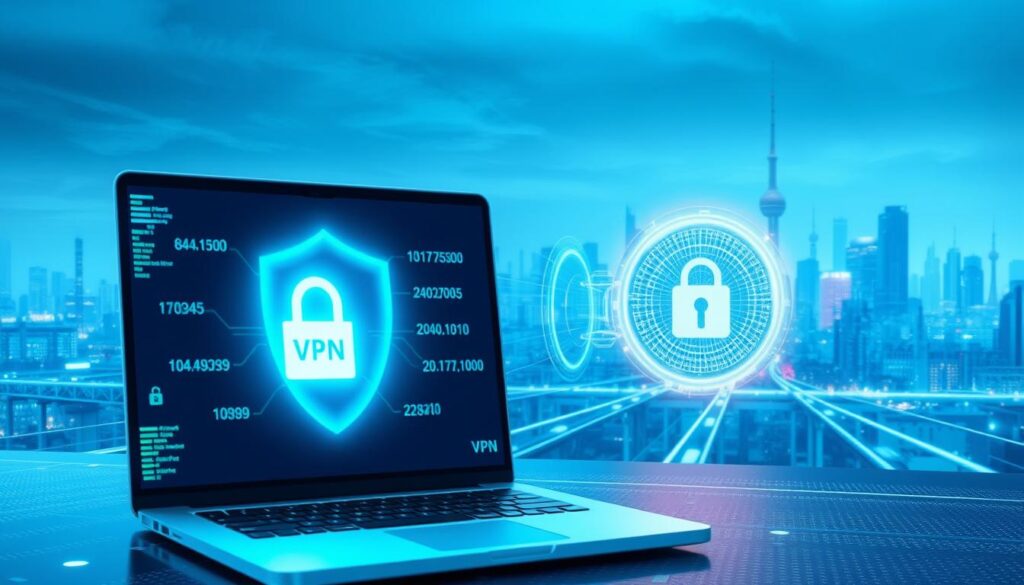
When you use a VPN, your internet traffic is encrypted, turning it into unreadable gibberish like “Wp3GgK32Hy3I1VQzrhq4.” This prevents your ISP from analyzing the content of your activity. Protocols like WireGuard use 256-bit encryption, ensuring your data remains secure.
Modern VPNs also feature perfect forward secrecy. This means encryption keys change frequently, making it nearly impossible for anyone to decode your past sessions. Encrypted DNS requests further hide the specific websites you visit, adding another layer of privacy.
Masking Your IP Address
Your IP address reveals your location and identity online. A VPN replaces it with the address of its server. For example, a user in New York can appear to be browsing from London. This process, known as IP substitution, keeps your real location hidden.
Some VPNs, like Surfshark, even offer GPS spoofing. This feature masks your device’s location, ensuring complete anonymity. Multi-hop configurations route your traffic through multiple servers, further reducing visibility to your ISP.
By combining encryption and IP masking, a VPN reduces your ISP’s visibility from 100% to 0%. This ensures your browsing remains private and secure.
The Role of VPN Servers in Hiding Your Activity
The backbone of online privacy lies in the infrastructure of VPN servers. These servers act as intermediaries between your device and the internet, ensuring your traffic remains secure and anonymous. By rerouting your data through multiple global nodes, they play a crucial role in protecting your digital footprint.

How VPN Servers Reroute Traffic
When you connect to a VPN server, your internet traffic is redirected through its network. For example, ExpressVPN operates servers in 94 countries, allowing users to appear as if they’re browsing from a different location. This geographic distribution enhances privacy by masking your true IP address.
Servers also optimize routing to reduce latency. OVHcloud data shows a 300ms reduction in latency through efficient traffic management. This ensures both speed and security, making it harder for third parties to track your activity.
Why VPN Servers Are Essential for Privacy
VPN servers are designed to handle sensitive data securely. Many providers, like NordVPN and ExpressVPN, use RAM-only infrastructure. This means no data is stored on physical drives, reducing the risk of breaches.
ProtonVPN’s Secure Core architecture adds an extra layer of protection by routing traffic through multiple servers before reaching its destination. Server authentication protocols, such as TLS handshakes, further ensure that only authorized devices can connect.
In restricted networks, obfuscation techniques disguise VPN usage as regular internet traffic. This makes it possible to bypass censorship while maintaining privacy. By combining these features, VPN servers provide a robust shield against surveillance.
Can ISPs Detect VPN Usage?
Do you know what your ISP can detect when you’re using a VPN? While VPNs are designed to protect your privacy, ISPs can still identify certain aspects of your connection. A 2023 Surfshark study revealed that 89% of ISPs can detect VPN usage, even if they can’t see the specifics of your activity.

What ISPs See When You Use a VPN
When you’re using a VPN, your ISP can detect the IP address of the VPN server and the timestamps of your connection. They may also identify the port numbers and encrypted packets associated with your traffic. Advanced methods like Deep Packet Inspection (DPI) allow ISPs to analyze the structure of your data packets, revealing patterns typical of VPN use.
Protocol fingerprinting is another technique ISPs use. By examining the unique characteristics of your connection, they can determine whether you’re using a VPN. For example, OpenVPN has distinct signatures that can be recognized by monitoring tools.
Limitations of ISP Detection
Despite their capabilities, ISPs cannot decrypt your VPN traffic. Encryption ensures that your data remains unreadable, even if intercepted. Obfuscation techniques, such as OpenVPN over TCP 443, disguise VPN traffic as regular HTTPS traffic, making it harder to detect.
In regions with strict internet controls, like China’s Great Firewall, VPN detection is more aggressive. However, modern VPNs use advanced obfuscation methods to bypass these restrictions. Legal implications also vary by region, with some countries restricting or banning VPN use entirely.
Corporate networks often employ similar detection methods to monitor employee activity. However, VPNs remain a reliable tool for maintaining privacy, especially when combined with features like multi-hop routing and GPS spoofing.
Why Hide Your Browsing History from ISPs?
Have you ever considered the hidden risks of your online footprint? Your browsing history is more than just a list of websites—it’s a detailed record of your activity that can be exploited. Protecting your privacy starts with understanding why this matters.

Risks of ISP Data Collection
ISPs have access to a wealth of information about your online behavior. A 2022 FTC report revealed that 76% of ISPs share user data with third parties. This includes everything from your search queries to the websites you visit.
Data brokerage partnerships, like the Verizon-AOL merger, amplify these risks. Your browsing history can be used for personalized price discrimination, insurance risk profiling, and even employment screening. For example, health-related searches could influence insurance premiums.
Government surveillance programs and data retention laws further complicate the issue. As one expert noted,
“Your online activity is a goldmine for those who know how to use it.”
How ISPs Use Your Data
ISPs monetize your data through partnerships with advertisers and data brokers. Facebook’s ISP data program is a prime example of how your activity can be used for microtargeting, similar to the Cambridge Analytica scandal.
Browser fingerprinting and constant connectivity make it easy for ISPs to track your every move. This level of surveillance raises concerns about privacy and the potential for overreach. Encryption remains the most effective defense against these practices.
By understanding how ISPs use your browsing history, you can take steps to protect your digital footprint. Staying informed is the first step toward reclaiming your online privacy.
VPNs vs. Other Privacy Tools
When it comes to online privacy, not all tools are created equal. While VPNs are widely recognized for their security, alternatives like proxies and the Tor network also offer unique features. Understanding the differences can help you choose the right solution for your needs.
Comparing VPNs to Proxies and Tor
VPNs stand out for their robust encryption. Unlike proxies, which often lack encryption, VPNs use AES-256 protocols to secure your data. This ensures that your online activity remains private, even on public networks.
Speed is another key factor. Tor, while effective for anonymity, averages 300-500ms latency, making it slower than VPNs, which typically operate at 50-100ms. For tasks like streaming or downloading, VPNs provide a smoother experience.
Jurisdiction risks are also a concern. Free proxy services often operate in regions with lax data protection laws, exposing users to potential breaches. The Hola VPN incident, where user data was sold, serves as a cautionary example.
Here’s a quick comparison:
- Encryption: VPNs (AES-256) vs proxies (none)
- Speed: Tor (3MB/s) vs VPNs (85MB/s)
- Cost: Free proxies vs premium VPNs
Why VPNs Are the Best Option
VPNs offer a balanced mix of speed and security. Features like kill switches, which disconnect your internet if the VPN fails, are absent in most proxies. Additionally, VPNs support advanced protocols like WireGuard, ensuring faster and more secure connections.
Multi-layered protection is another advantage. Combining a VPN with Tor can enhance anonymity, though it may reduce speed. Providers like Mullvad are even developing quantum-resistant encryption, future-proofing your privacy.
As one expert noted,
“VPNs provide a comprehensive solution for both privacy and performance, making them the go-to choice for most users.”
Whether you’re looking for access to restricted content or simply want to protect your data, VPNs deliver a reliable and efficient service.
Choosing the Right VPN for Privacy
Finding the right vpn provider can feel overwhelming with so many options available. To ensure your online activities remain secure, it’s essential to focus on key features and trusted brands. Let’s break down what to look for and how to make an informed decision.
Key Features to Look For
When selecting a vpn provider, prioritize features that enhance your privacy and security. A kill switch is crucial—it disconnects your internet if the VPN fails, preventing data leaks. DNS leak protection ensures your browsing activity stays hidden, even if the VPN connection drops.
Look for encryption standards like AES-256, which is military-grade and virtually unbreakable. Split tunneling is another valuable feature, allowing you to choose which apps or websites use the VPN. This is especially useful for tasks like online banking or streaming.
Multi-hop connections route your traffic through multiple servers, adding an extra layer of anonymity. Avoid free VPNs, as they often harvest user data to monetize their service. Premium providers offer better security and performance.
Trustworthy VPN Providers
Not all vpn providers are equally reliable. NordVPN, for example, has a verified no-logs policy, as confirmed by a 2023 AV-Test audit. ExpressVPN uses TrustedServer technology, which operates on RAM-only storage, ensuring no data is retained.
ProtonVPN is another strong contender, known for its transparency and commitment to privacy. Surfshark stands out with its unlimited device policy, making it a cost-effective choice for families or small businesses.
Jurisdiction matters too. Providers based outside the Five Eyes alliance are less likely to be subject to government surveillance. Always check for third-party audit reports from firms like Cure53 or PwC to verify a provider’s claims.
By focusing on these features and trusted brands, you can find a vpn provider that meets your privacy needs. Remember, the right choice depends on your specific use case—whether it’s streaming, torrenting, or simply browsing securely.
Limitations of VPNs in Hiding Online Activity
While vpns are powerful tools for privacy, they aren’t a one-size-fits-all solution. Even with encryption and IP masking, certain aspects of your online activity can still be exposed. Understanding these limitations helps you take additional steps to protect your data.
What VPNs Can’t Hide
One major limitation is browser fingerprinting. This technique identifies your device based on unique settings like screen resolution, fonts, and plugins. A 2023 CSIRO study found that 70% of vpns leak WebRTC data, revealing your real IP address despite encryption.
Google account-based tracking is another concern. Even with a VPN, your activity can be correlated through your logged-in accounts. Facebook’s pixel tracking system also bypasses VPNs by embedding cookies that follow you across websites.
Here’s what VPNs can’t fully protect:
- Browser fingerprints and canvas tracking.
- WebRTC IP leaks, which expose your real location.
- Cookie-based tracking, especially from social media platforms.
Understanding VPN Logging Policies
Not all vpns are created equal when it comes to logging policies. Some providers retain connection logs, while others, like PIA, have court-proven no-logs policies. ExpressVPN’s BVI jurisdiction offers an added layer of protection, as it’s outside the Five Eyes alliance.
Mandatory data retention laws in certain countries can also compromise your information. For example, providers in the EU may be required to store logs for up to two years. Always check a VPN’s jurisdiction and third-party audit reports before trusting it with your data.
“No VPN can guarantee 100% anonymity. Advanced tracking methods and legal requirements mean users must remain vigilant.”
By understanding these limitations, you can make informed decisions about your online privacy. Combining a VPN with other tools, like anti-fingerprinting browsers, enhances your protection.
Practical Tips for Using a VPN Effectively
Protecting your online privacy starts with the right tools and practices. A VPN is a powerful ally, but its effectiveness depends on how you configure and use it. Let’s explore practical steps to maximize your security and privacy.
Setting Up a VPN
First, ensure your VPN is properly installed on all your devices. Most providers offer apps for Windows, macOS, iOS, and Android. Follow these steps for a seamless setup:
- Download the app from the official website or app store.
- Log in with your credentials and connect to a server.
- Enable the kill switch feature to prevent data leaks.
For advanced users, configure firewall exceptions to allow VPN traffic. Always activate the VPN on startup to ensure continuous protection. Testing for DNS leaks is also crucial—tools like DNSLeakTest.com can help verify your setup.
Maximizing Privacy with a VPN
To enhance your privacy, combine your VPN with other tools. Use a password manager to secure your accounts and a privacy-focused browser like Brave or Firefox Focus. These browsers block trackers and reduce your digital footprint.
Split tunneling is another useful feature. It allows you to route only specific apps or websites through the VPN, optimizing your network performance. Regularly check for IP and DNS leaks to ensure your setup remains secure.
Cookie management extensions, such as Cookie AutoDelete, can further protect your search history. Finally, integrate multi-factor authentication for an added layer of security. As one expert noted,
“Combining tools creates a robust defense against online threats.”
Conclusion
Maintaining online privacy requires more than just awareness—it demands action. A vpn plays a critical role by encrypting your internet traffic, ensuring your browsing history remains hidden from your isp. This encryption, combined with IP masking, creates a robust shield against surveillance.
However, privacy isn’t a one-time effort. Regularly updating your vpn software ensures you benefit from the latest security features. Pairing it with tools like password managers and privacy-focused browsers enhances your protection further.
Stay vigilant against complacency. Even with a vpn, advanced tracking methods can expose your data. Combining multiple privacy tools and staying informed about new threats is essential.
In today’s digital world, reclaiming your online rights starts with the right tools. A vpn is a powerful ally, but ongoing maintenance and awareness are equally important. Take control of your privacy—your digital freedom depends on it.